
Plans, AI credits and bring your own key
The three plans, how AI credits work, and how to run AI on your own key.
This article covers the three plans, how AI credits work and how to run AI on your own key.
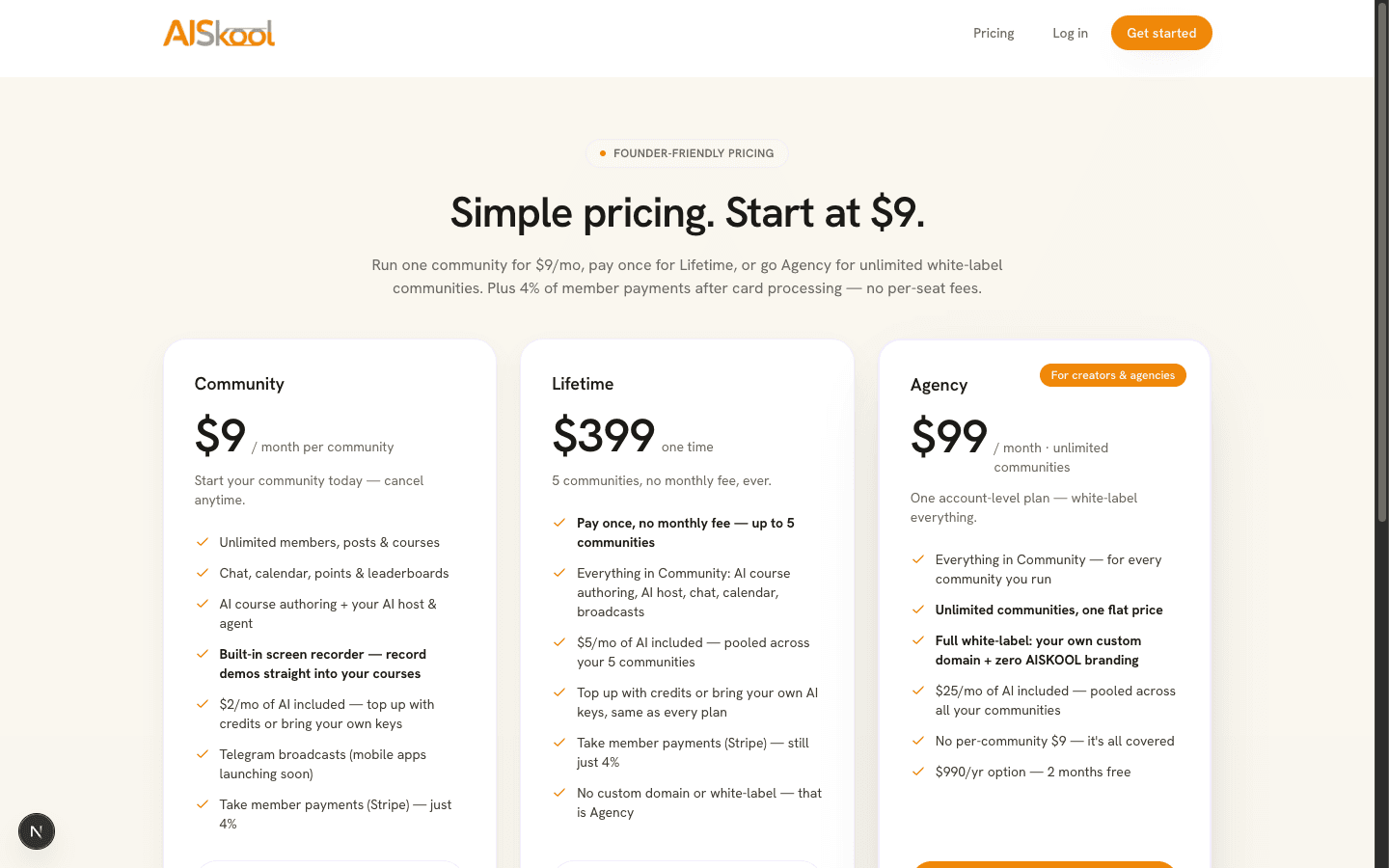
The three plans
- Community: $9 a month for one community. It includes unlimited members, posts and courses, chat, calendar, leaderboards, AI course authoring, your AI host, Telegram broadcasts and member payments, plus a $2 a month AI grant. It starts with a 7-day free trial where offered.
- Agency: $99 a month or $990 a year. One plan for your account: unlimited communities, white-label with your own domain, no $9 per community and a pooled $25 a month AI grant.
- Lifetime: $399 once. No monthly fee for your oldest 5 communities, with a pooled $5 a month AI grant. It does not include white-label.
Agency and Lifetime include everything in Community. Members pay the 4% platform fee on every plan. If two plans cover one community, Agency wins over Lifetime, and Lifetime wins over the $9 plan. On AppSumo? See AppSumo lifetime deal.
Which communities a plan covers
Agency covers every community you own. Lifetime covers your oldest 5, counted by creation date, so a sixth community needs the $9 plan. When Agency or Lifetime covers a community, its $9 plan is canceled so you are not billed twice.
How AI credits work
AI that AISKOOL runs for you draws from your credits. That covers course drafts, AI assist, slides, voice-over, images, your AI host and AI feedback on quizzes and assignments.
- Monthly grant: spent first. It resets each month and does not roll over. A community with no active plan gets none.
- Purchased credits: spent after the grant. They never expire.
- Price: each action costs the provider's cost plus 40% (cost x 1.4).
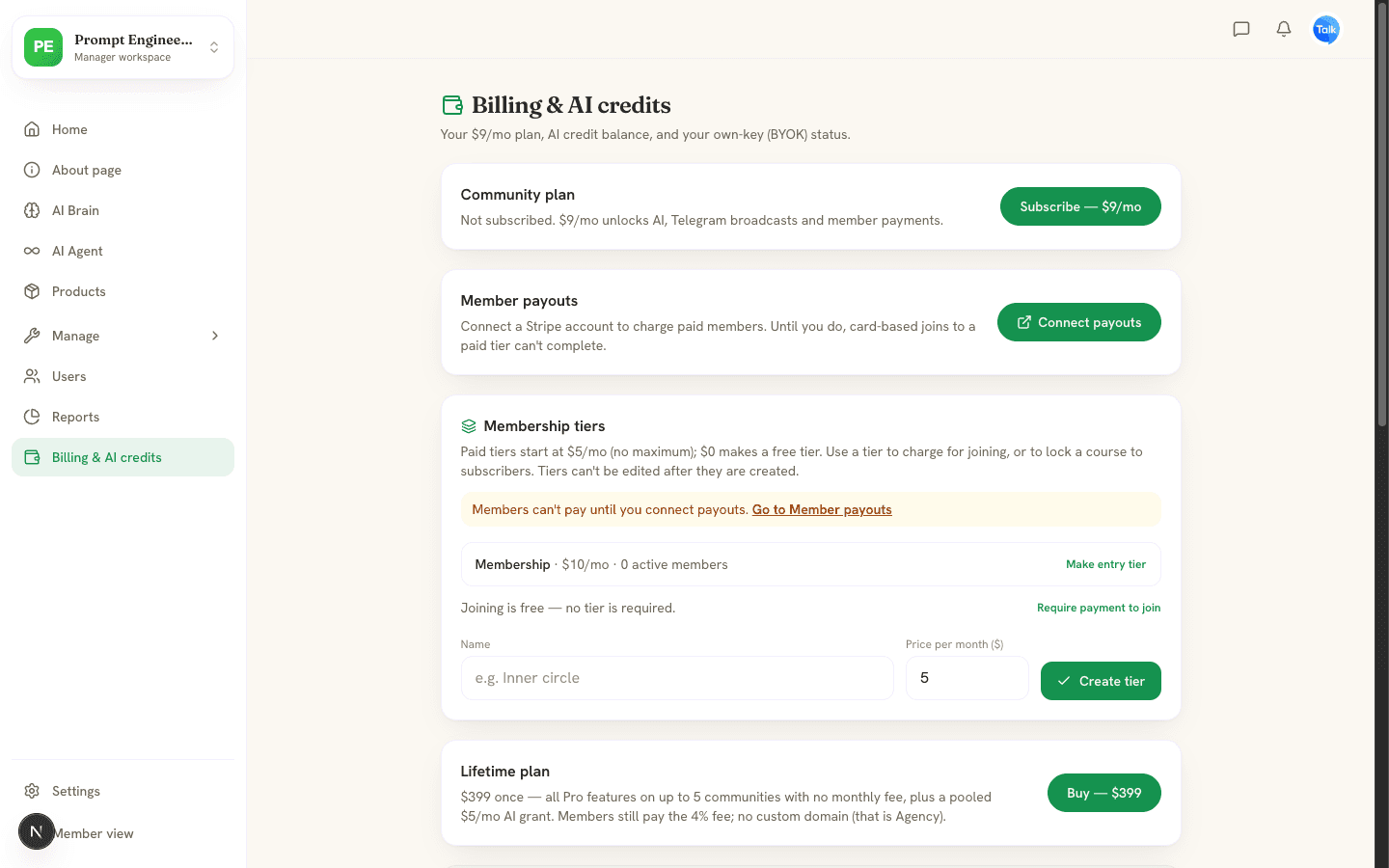
Agency and Lifetime communities share one pooled balance. The AI credit balance card on Billing & AI credits shows your balance, grant left and spend this month.
Add credit
Under Buy credits on the Billing page, pay by card for a $5, $15 or $50 credit pack, or a $10 image pack (about 140 images). Packs add dollar for dollar to your balance, or to the pool.
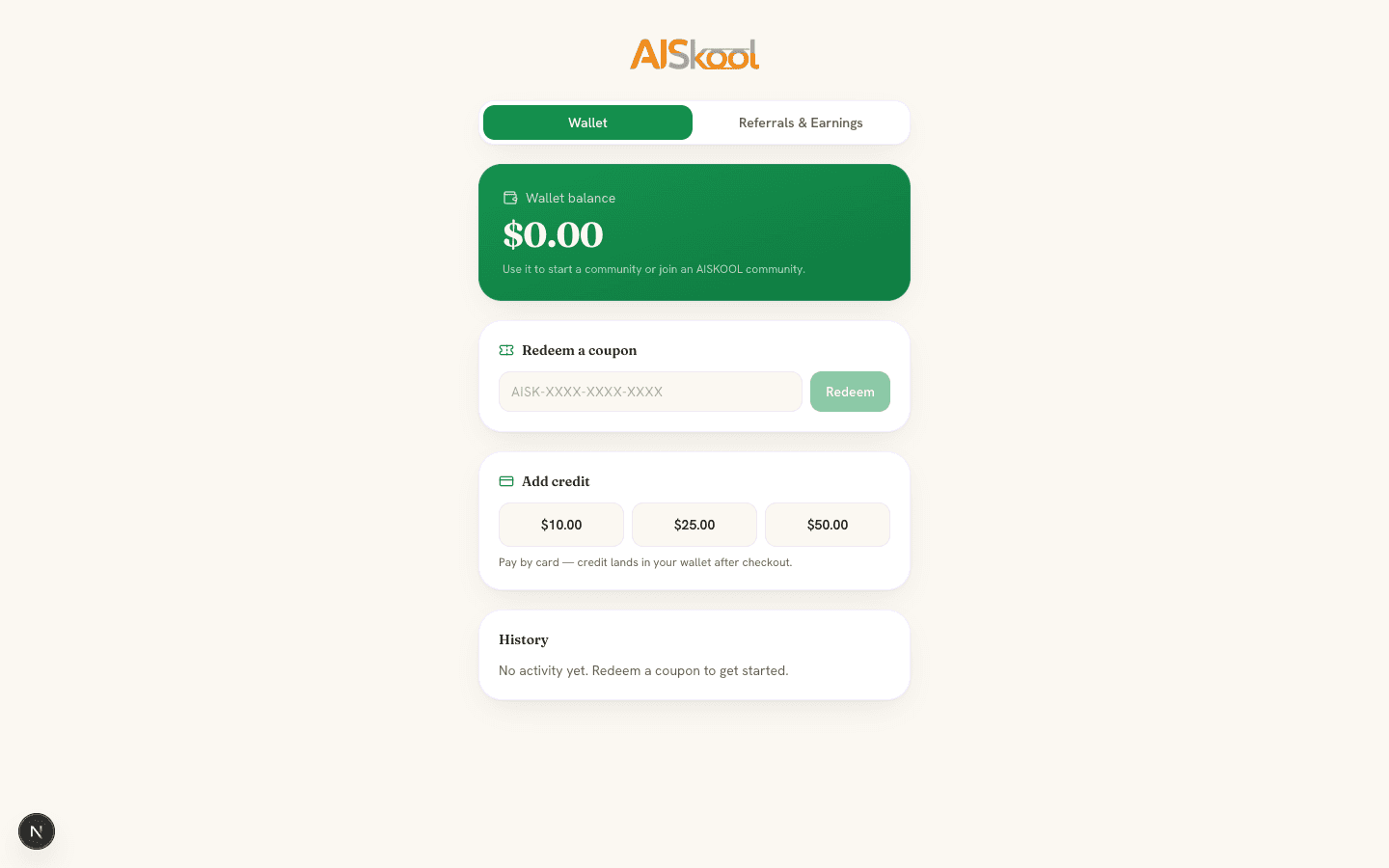
The wallet is separate. Open it from your avatar menu under Wallet & coupons. Add credit takes $10, $25 or $50 by card, and Redeem a coupon takes a code like AISK-XXXX-XXXX-XXXX. Wallet credit pays for the $9 plan with Pay with wallet. It does not buy AI credits.
Bring your own key
With your own key, AI runs on your account with the provider, which bills you. It uses none of your credits or grant for topic generation, the AI buttons, slides, the AI host and chat. Turning a PDF, text, Markdown, CSV or HTML file into a course, or adding one to the AI Brain, also runs on your key. Two jobs still run on AISKOOL's own AI and bill your grant or credits even with a key: reading Word and Excel files, and voiceover. The page says so before and after. Text works with OpenAI, Anthropic (Claude), Google (Gemini) and OpenRouter. Images work with Google (nano banana) and Flux (fal.ai).
- Open Settings as an admin or owner.
- In AI text / LLM or AI image generation, choose a Provider and paste your key. Model is optional.
- Choose Save key.
Remove puts AI back on your credits. The Your own keys (BYOK) card on the Billing page shows each provider, or "Using AISKOOL credits". If a provider rejects your key, or your key cannot be read, the AI action stops and shows the error. It does not switch to your credits.
When credits run out
AI actions that use AISKOOL's AI stop with an HTTP 402 error and the message "Out of AI credits. Buy a credit pack or add your own API key." Pooled communities see "Out of pooled AI credits. Add credits or a BYOK key." The course generator in Settings shows the same out-of-credits message. On a Word or Excel file with your own key, it tells you to add credits or upload a PDF or text file instead. Check your balance on the Billing page. Your AI host also pauses, and a member who messages it is told it cannot reply right now.
Frequently asked
Does the monthly grant roll over?
Do I need credits if I use my own key?
Can I cancel the Community plan?
Related articles
Activate your AppSumo lifetime deal
Link your AppSumo code to your account, see what each tier covers, and what happens to your communities.
Paid tiers and getting paid with Stripe
Connect Stripe, create membership tiers, charge for joining or lock a course, and see how each payment is split.
Your AI host: Brain and Agent studio
Teach your AI host with AI Brain, shape its personality in the AI Agent studio, and see what it does and what it costs.